

Overview
Competitors define the comparison cohort that your rates are compared against. Selecting the right competitors ensures meaningful benchmarking and helps you understand your competitive positioning in the market.Default Competitor Selection
Competitors are automatically selected based on:- Same specialty as the Primary Taxonomy code you selected
- Same geographic areas (CBSAs) as the providers you selected from your available providers
Managing Competitors
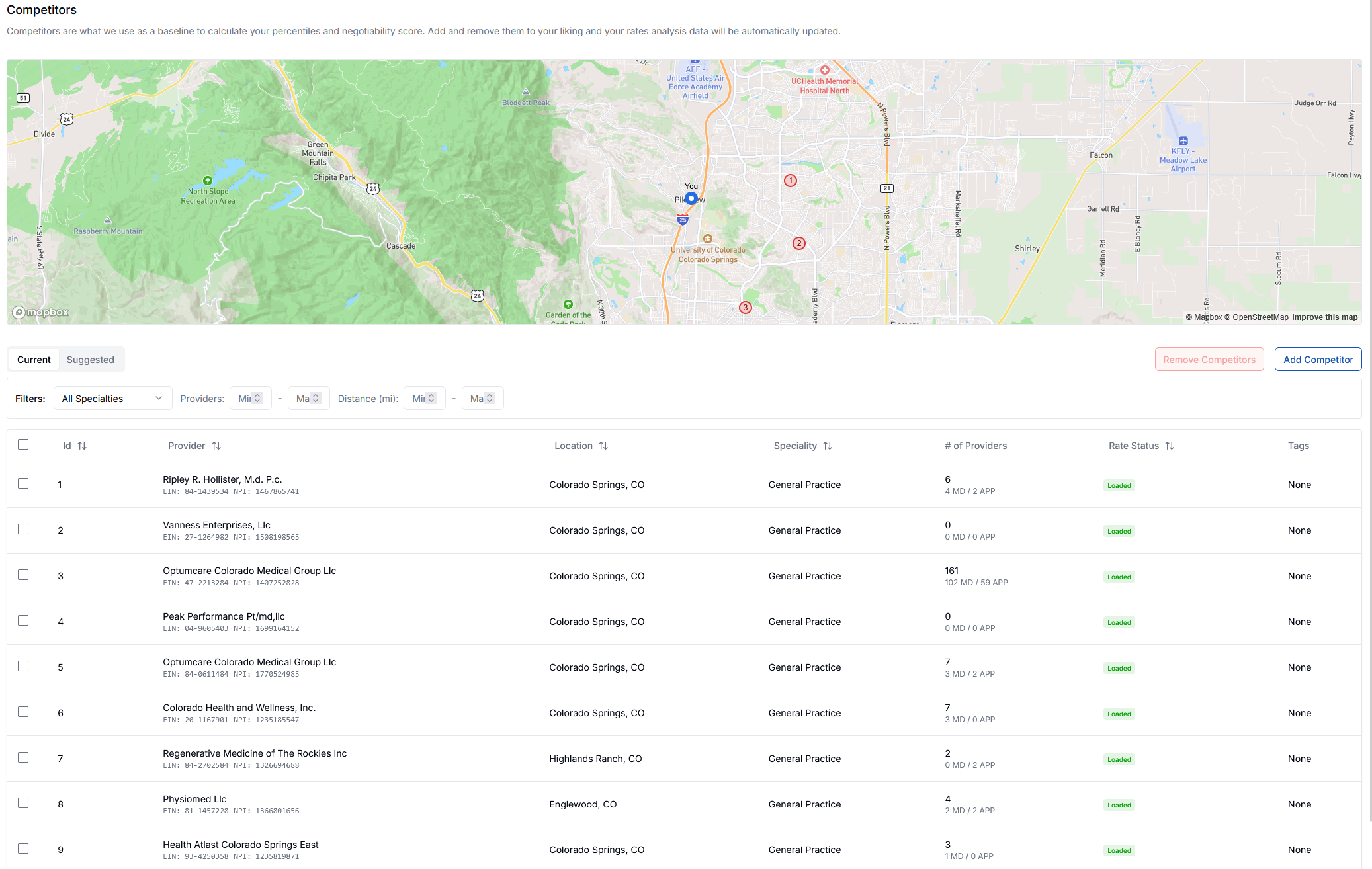
Current Competitors
View your active competitors with details including:- Provider name and identifiers (EIN, NPI)
- Location and distance from your practice
- Specialty classification
- Number of affiliated providers
- Rate status
Adding Competitors
There are two ways to add competitors to your profile:Option 1: Add by EIN/NPI

- Click Add Competitor
- Enter the competitor’s NPI or EIN in the search field
- Click Search to find and add the competitor
Option 2: Add from Suggested List
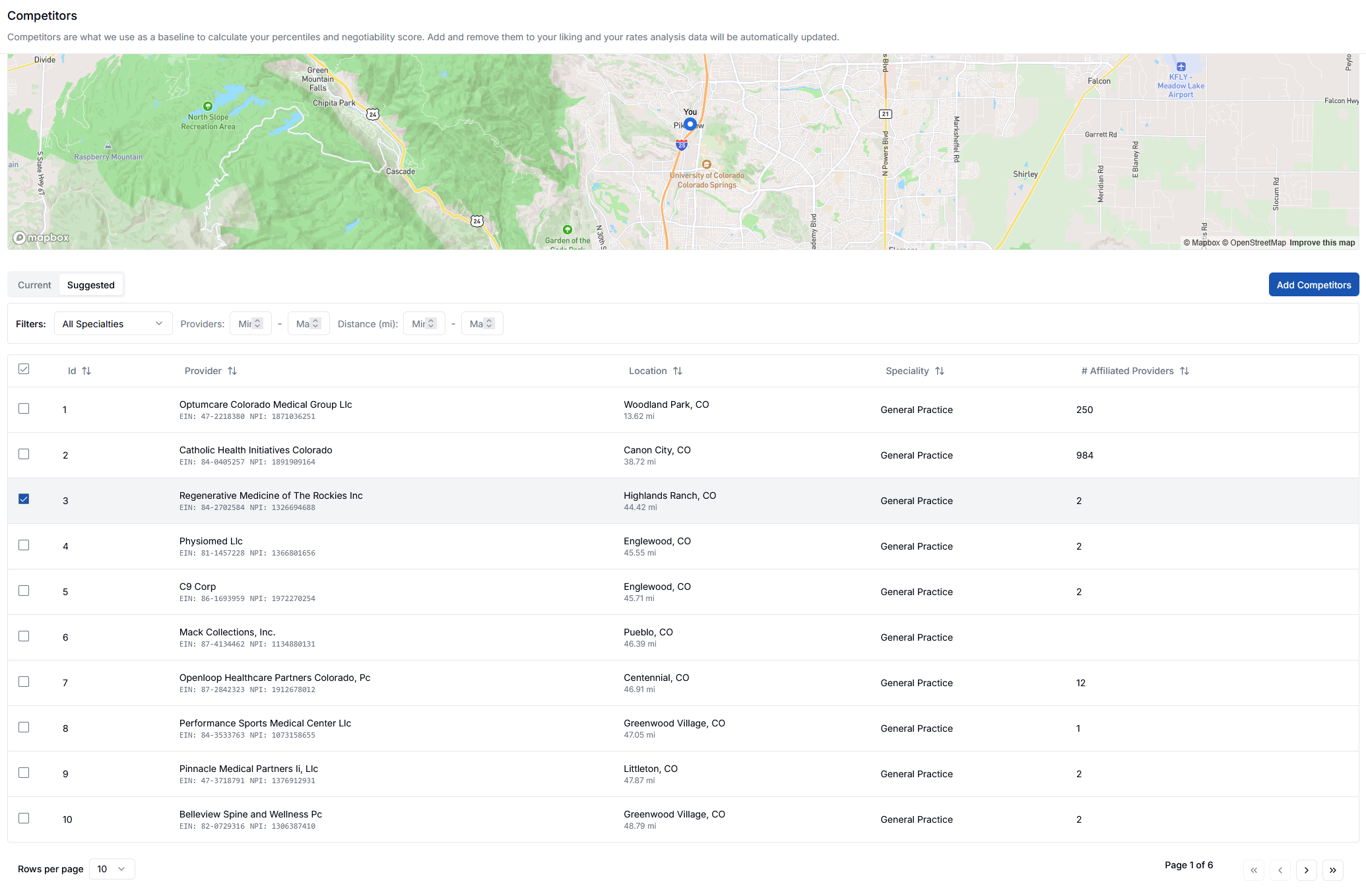
- Navigate to the Suggested tab
- Review the list of suggested competitors based on your specialty and location
- Select competitors you want to add
- Click Add Competitors to add them to your current list
Your rates analysis and benchmarking data will automatically update to reflect any changes you make to your competitor list.