Overview
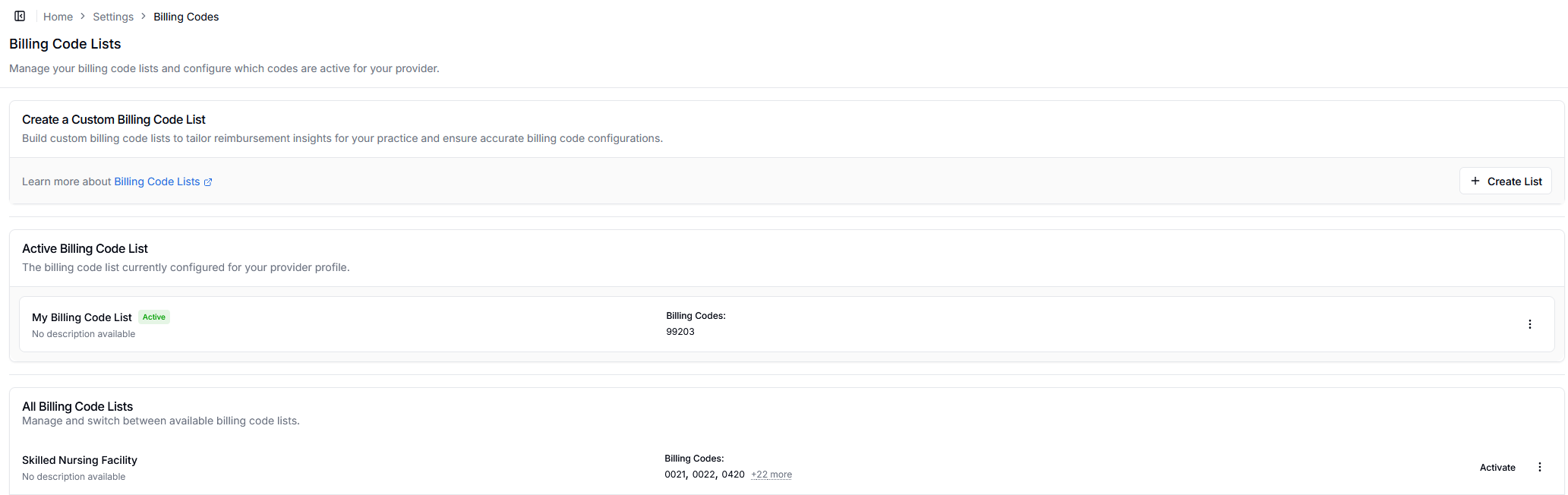
Billing code lists help you organize and manage the codes relevant to your practice. You can create custom lists to tailor reimbursement insights and ensure accurate billing configurations.Importance of Billing Codes: These codes determine which procedures you’ll be compared on. For example, selecting cardiology codes means your statistics, percentiles, and benchmarks will be based on cardiology procedure rates.
Creating a Billing Code List
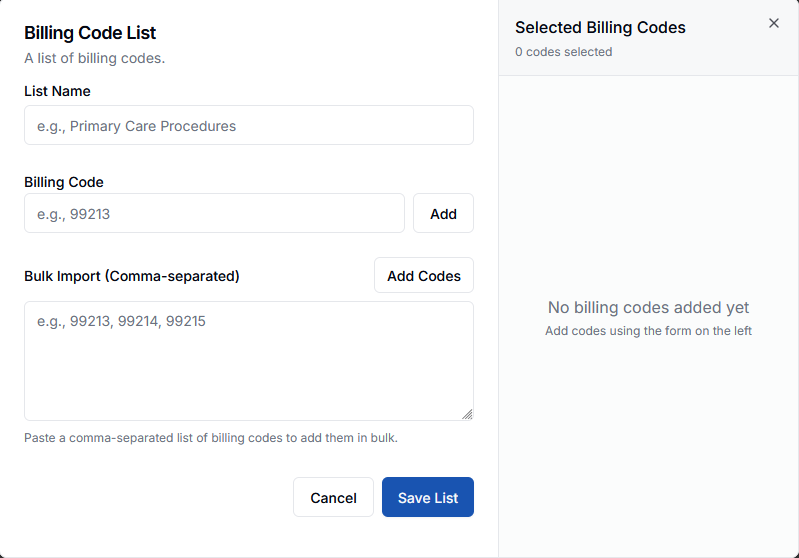
- Click Create List from the Billing Code Lists page
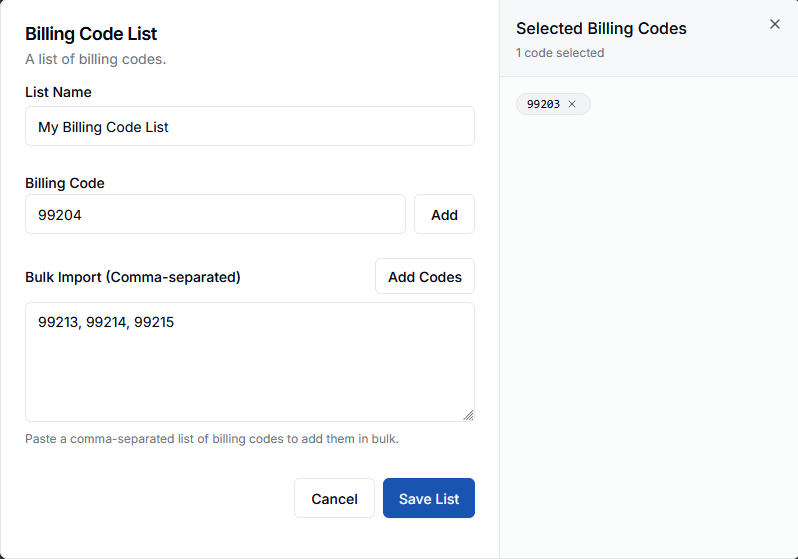
- Enter a List Name (e.g., “Orthopedic Surgery Procedures”)
- Add billing codes using either method:
- Individual codes: Enter a single code and click Add
- Bulk import: Paste comma-separated codes (e.g.,
99213, 99214, 99215) and click Add Codes
- Review selected codes in the right panel
- Click Save List to create your list
Managing Lists
All your billing code lists appear in the “All Billing Code Lists” section. Each list displays:- List name and description
- Number of billing codes included
- Activate button to enable the list for your provider profile