> ## Documentation Index
> Fetch the complete documentation index at: https://docs.pricemedic.com/llms.txt
> Use this file to discover all available pages before exploring further.
# Competitors
> Configure competitor providers for benchmarking and rate comparisons
## Overview
Competitors define the comparison cohort that your rates are compared against. Selecting the right competitors ensures meaningful benchmarking and helps you understand your competitive positioning in the market.
## Default Competitor Selection
Competitors are automatically selected based on:
* **Same specialty** as the Primary Taxonomy code you selected
* **Same geographic areas** (CBSAs) as the providers you selected from your available providers
This ensures your comparisons are relevant to providers offering similar services in your market areas.
## Managing Competitors
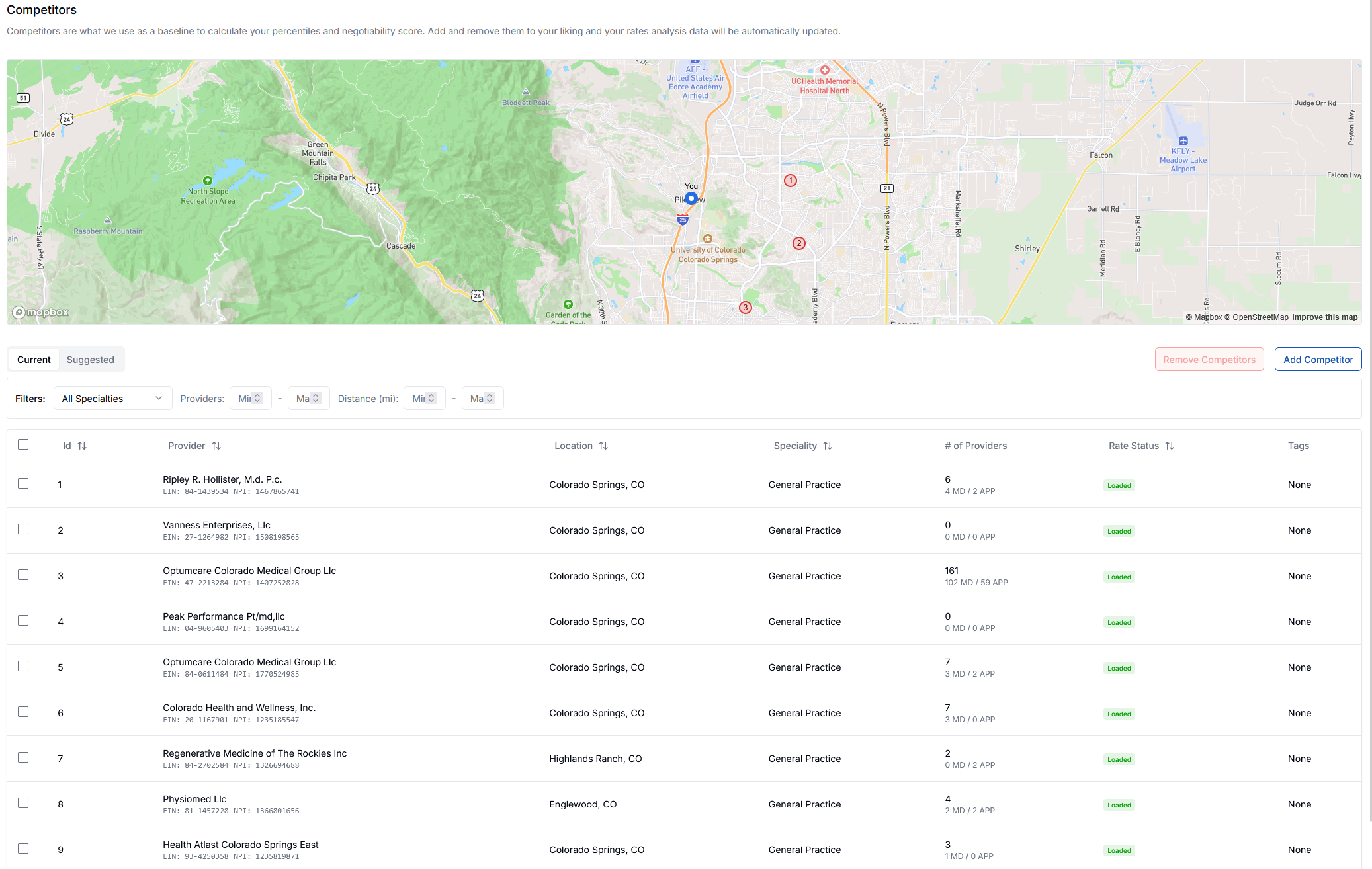 The Competitors page displays all currently selected competitors on a map and in a list view. You can filter and manage your competitors using the available filters for specialty, providers, and distance.
### Current Competitors
View your active competitors with details including:
* Provider name and identifiers (EIN, NPI)
* Location and distance from your practice
* Specialty classification
* Number of affiliated providers
* Rate status
To remove competitors, select them from the list and click **Remove Competitors**.
## Adding Competitors
There are two ways to add competitors to your profile:
### Option 1: Add by EIN/NPI
The Competitors page displays all currently selected competitors on a map and in a list view. You can filter and manage your competitors using the available filters for specialty, providers, and distance.
### Current Competitors
View your active competitors with details including:
* Provider name and identifiers (EIN, NPI)
* Location and distance from your practice
* Specialty classification
* Number of affiliated providers
* Rate status
To remove competitors, select them from the list and click **Remove Competitors**.
## Adding Competitors
There are two ways to add competitors to your profile:
### Option 1: Add by EIN/NPI
 1. Click **Add Competitor**
2. Enter the competitor's NPI or EIN in the search field
3. Click **Search** to find and add the competitor
This method is useful when you know specific providers you want to compare against.
### Option 2: Add from Suggested List
1. Click **Add Competitor**
2. Enter the competitor's NPI or EIN in the search field
3. Click **Search** to find and add the competitor
This method is useful when you know specific providers you want to compare against.
### Option 2: Add from Suggested List
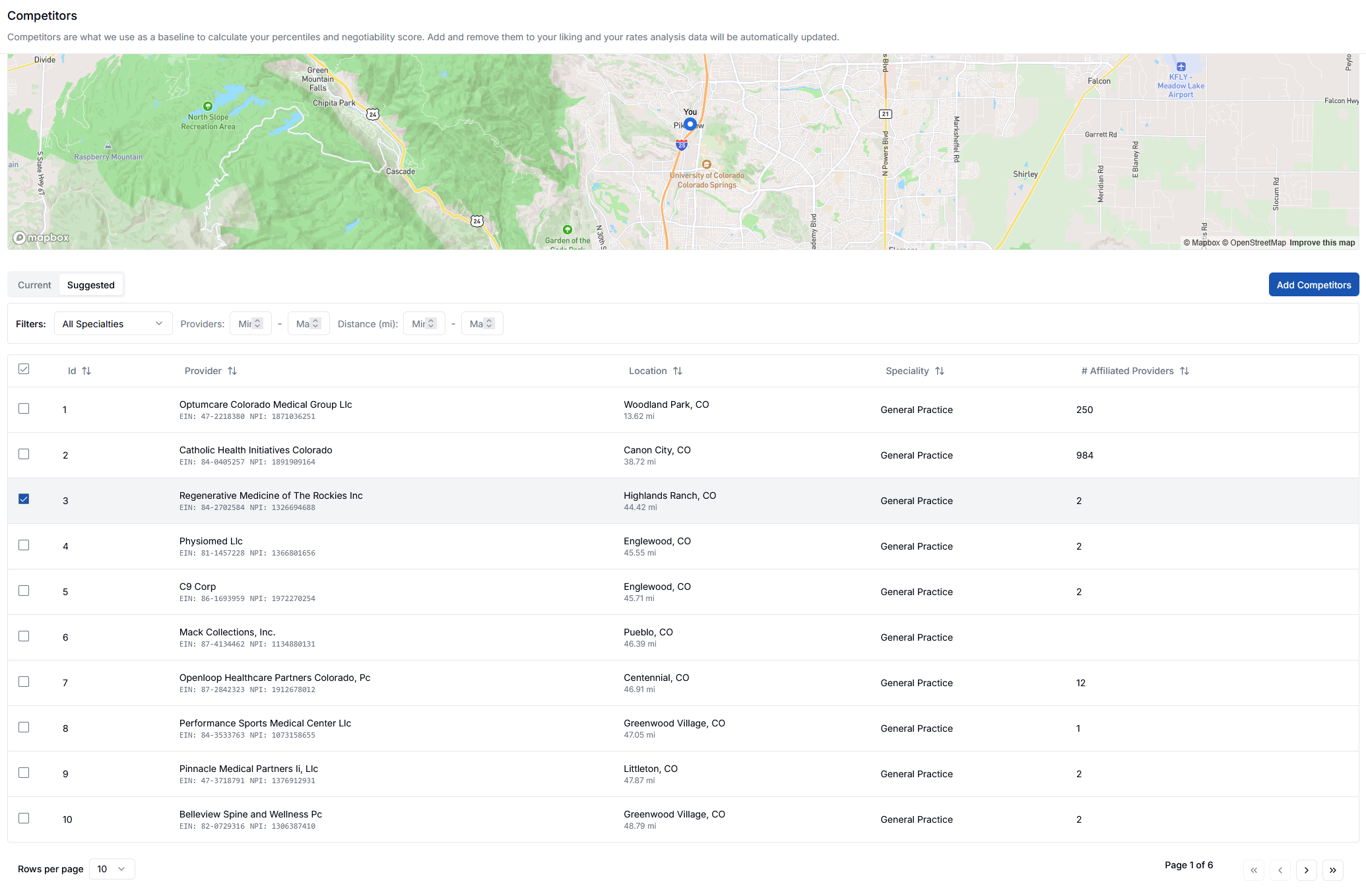 1. Navigate to the **Suggested** tab
2. Review the list of suggested competitors based on your specialty and location
3. Select competitors you want to add
4. Click **Add Competitors** to add them to your current list
The suggested list is automatically filtered to show providers matching your specialty and geographic markets, making it easy to find relevant competitors.
Your rates analysis and benchmarking data will automatically update to reflect any changes you make to your competitor list.
1. Navigate to the **Suggested** tab
2. Review the list of suggested competitors based on your specialty and location
3. Select competitors you want to add
4. Click **Add Competitors** to add them to your current list
The suggested list is automatically filtered to show providers matching your specialty and geographic markets, making it easy to find relevant competitors.
Your rates analysis and benchmarking data will automatically update to reflect any changes you make to your competitor list.